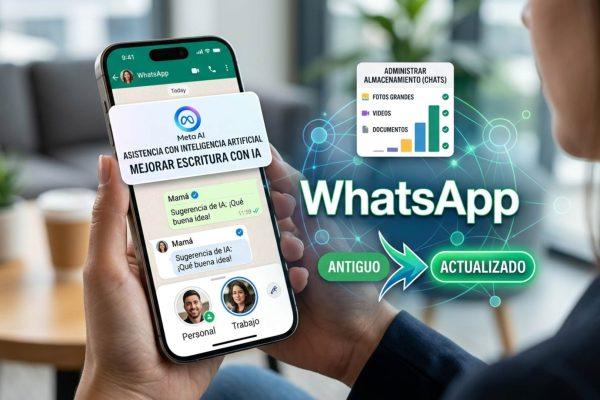
WhatsApp, the messaging app that connects millions across Latino households from Bogotá to Los Angeles, is rolling out a trio of updates that promise to change how you manage your chats and photos. For the bicultural user who juggles a personal line and a work number—or keeps one foot in México and another in the U.S.—the new features are a welcome shift.
Two Accounts, One iPhone
The headline addition is support for two accounts on a single iPhone. Previously limited to Android, this feature lets you add a second WhatsApp account without needing a second phone or a dual-SIM workaround. You can now keep your family group in Guadalajara separate from your work chat in Miami, all from the same device. The setup is straightforward: go to Settings, tap the arrow next to your name, and select “Add account.” You’ll need a second SIM or eSIM, but once configured, switching between accounts is seamless.
This is particularly useful for Latino professionals who often navigate multiple roles—whether you’re coordinating with relatives in San Salvador or managing a side hustle in Houston. It’s a small but meaningful step toward recognizing that many of us live across borders, both digital and physical.
Cross-System Chat Transfer
Another update simplifies moving your chat history between Android and iOS. If you’ve ever upgraded from a Samsung to an iPhone—or vice versa—you know the headache of losing years of messages. WhatsApp now supports official cross-platform transfers, preserving your conversations, photos, and voice notes. This is a game-changer for anyone who switches devices frequently, especially in markets like Colombia or Argentina where phone upgrades are common.
The process requires both devices on the same Wi-Fi network and the latest WhatsApp version. It’s not instant, but it’s far more reliable than third-party tools. For families spread across the diaspora, this means your abuela’s voice notes from Caracas won’t disappear when you upgrade your phone.
AI-Powered Photo Editing with Meta AI
WhatsApp is also integrating Meta AI into its photo editor. You can now edit images with smart suggestions—like removing backgrounds, adjusting lighting, or adding stylized effects—without leaving the app. The AI tools are designed to be intuitive: just tap the edit icon after selecting a photo, and you’ll see options like “Enhance” or “Restyle.” For content creators or anyone who shares daily snapshots, this reduces the need for separate editing apps.
This feature arrives as Meta doubles down on AI across its platforms, similar to the approach seen in Netflix’s vertical discovery feed, which also leans on AI for mobile-first experiences. For Latino users who share everything from family gatherings to concert clips—like those from Rauw Alejandro’s World Cup anthem—the editing tools make it easier to polish photos before sending them to group chats.
What This Means for Latino Users
WhatsApp remains the dominant messaging platform across Latin America and the U.S. Latino community, where it’s often used for everything from coordinating quinceañeras to running small businesses. These updates address real pain points: the need for separate accounts, the fear of losing chat history, and the desire for quick photo edits without jumping between apps.
While the features are rolling out globally, their impact is especially felt in regions where WhatsApp is more than just an app—it’s a lifeline. Whether you’re a creator like Noelia Mejía, who uses the platform to share visibility for Bad Bunny’s Puerto Rico residency, or a parent sending updates to family in Lima, these tools make daily communication smoother.
The updates are available now for iOS and Android users. To access them, make sure your app is updated to the latest version. As WhatsApp continues to evolve, it’s clear that the platform is listening to the needs of its most engaged users—including the millions of Latinos who rely on it every day.